
Open to engineers worldwide
Design foundations. Check every number.
Foundanz designs spread footings, strap footings and pile caps, and the piers they carry, to ACI 318-19, Eurocode 2 or IS 456:2000. It runs in the browser, from support reactions to a calculation report that shows its working.
Request free access See the features
No payment details. Your projects are visible only to your account. Results must be checked by a qualified engineer before they are used; see the disclaimer.
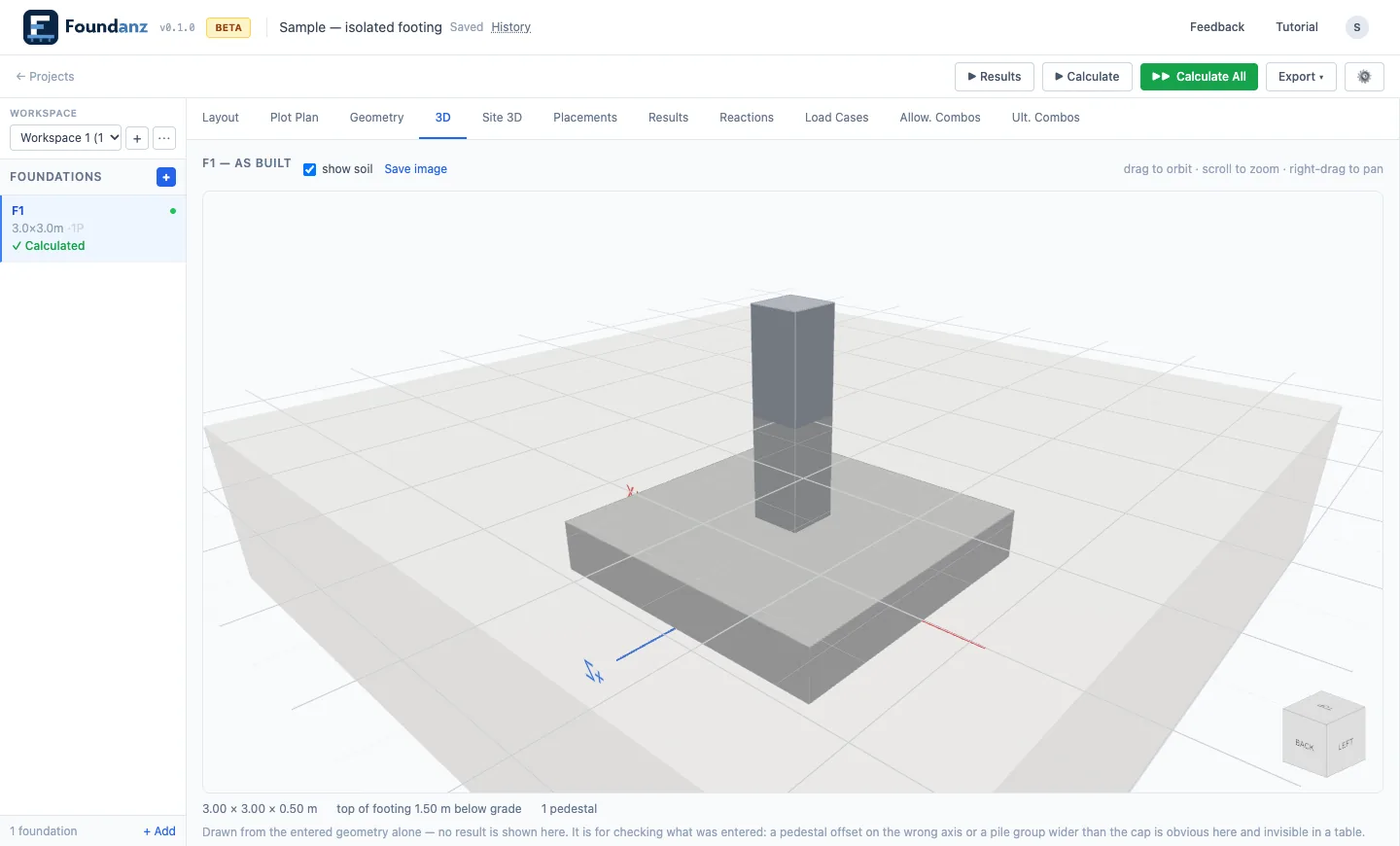
- Deterministic · every number comes from the calculation engine
- In the browser · nothing to install
- Three design codes · ACI 318-19, EN 1992-1-1, IS 456:2000
- Validation in progress · cases published as they are reviewed
What it does
The checks you run on every footing, in one workflow
Spread footings
Rectangular or octagonal, carrying one or more piers. Sized for bearing, overturning, sliding and uplift, then reinforced for flexure, one-way shear and punching.
Strap footings and pile caps
An exterior pad tied by a strap beam to an interior pad, and pile caps with the reaction in each pile from a rigid cap.
Piers
Combined axial load and bending, slenderness and detailing limits, for each pier on the foundation.
STAAD.Pro reactions import
Support reactions read from STAAD.Pro output, as CSV or PDF.
A report with its working shown
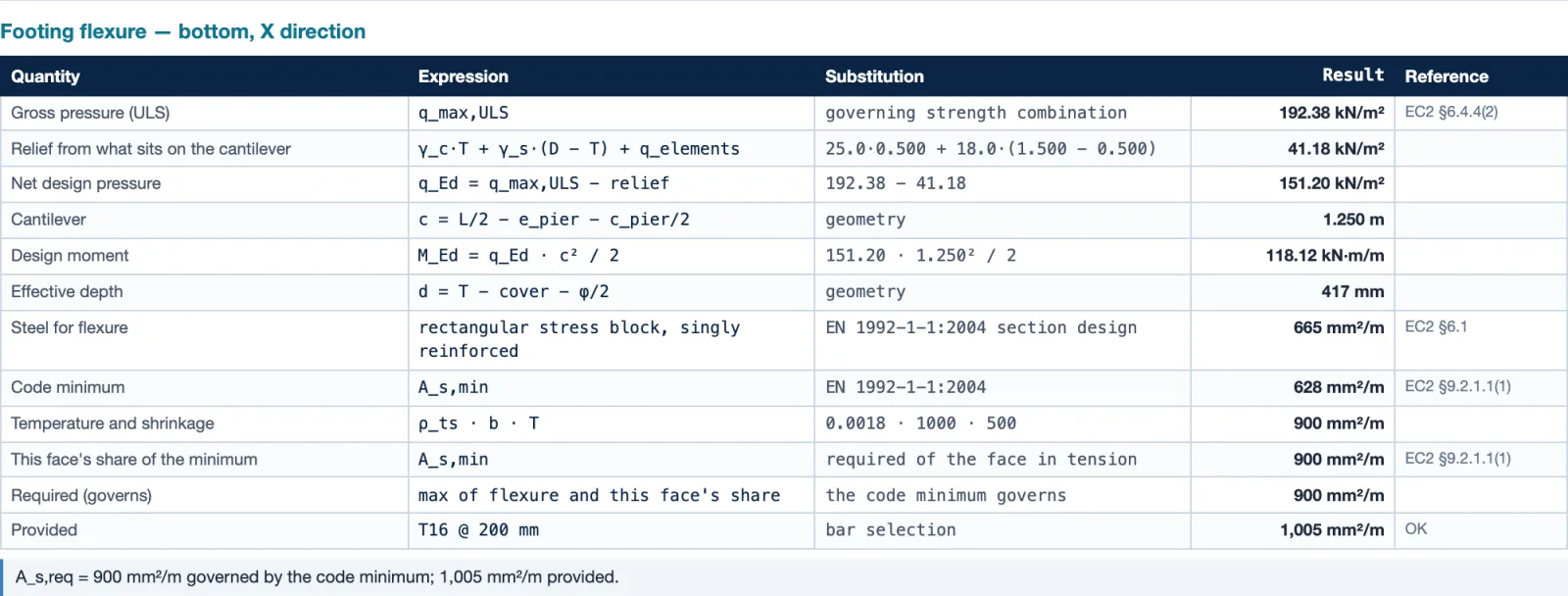
Each formula with the engine’s own numbers in it, the result and the clause. A part the engine could not design is marked NOT DESIGNED, never filled in.
Private projects
Create, save and edit your own projects. They are visible only to your account.
Set up
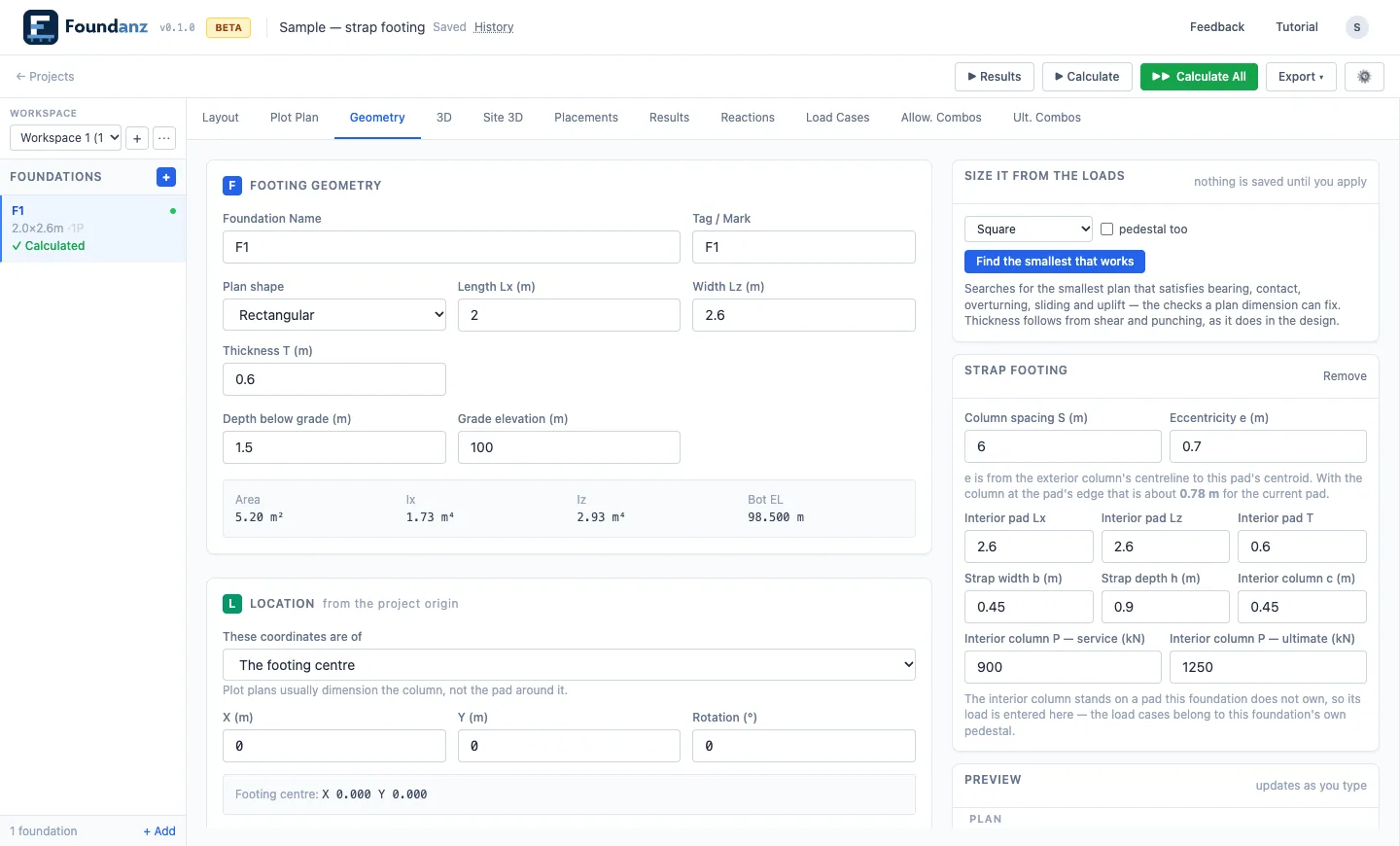
Enter the geometry, or let it size the footing
Footing, pier, strap and location inputs sit beside a live plan preview. Automatic sizing searches for the smallest plan that satisfies bearing, contact, overturning, sliding and uplift, using the same calculation the report uses.
Nothing is saved until you apply it, and every project stays in your own account.
From support reactions to a calculation report in three steps
- 01
Lay out
Place footings and piers, or bring in support reactions from a structural analysis.
- 02
Define loads and soil
Enter soil data and load combinations, either from a factor matrix or combinations an analysis has already applied. The two are never mixed in one foundation.
- 03
Review and report
Check bearing, stability and reinforcement, then produce a report at summary, standard or full depth.
Site layout
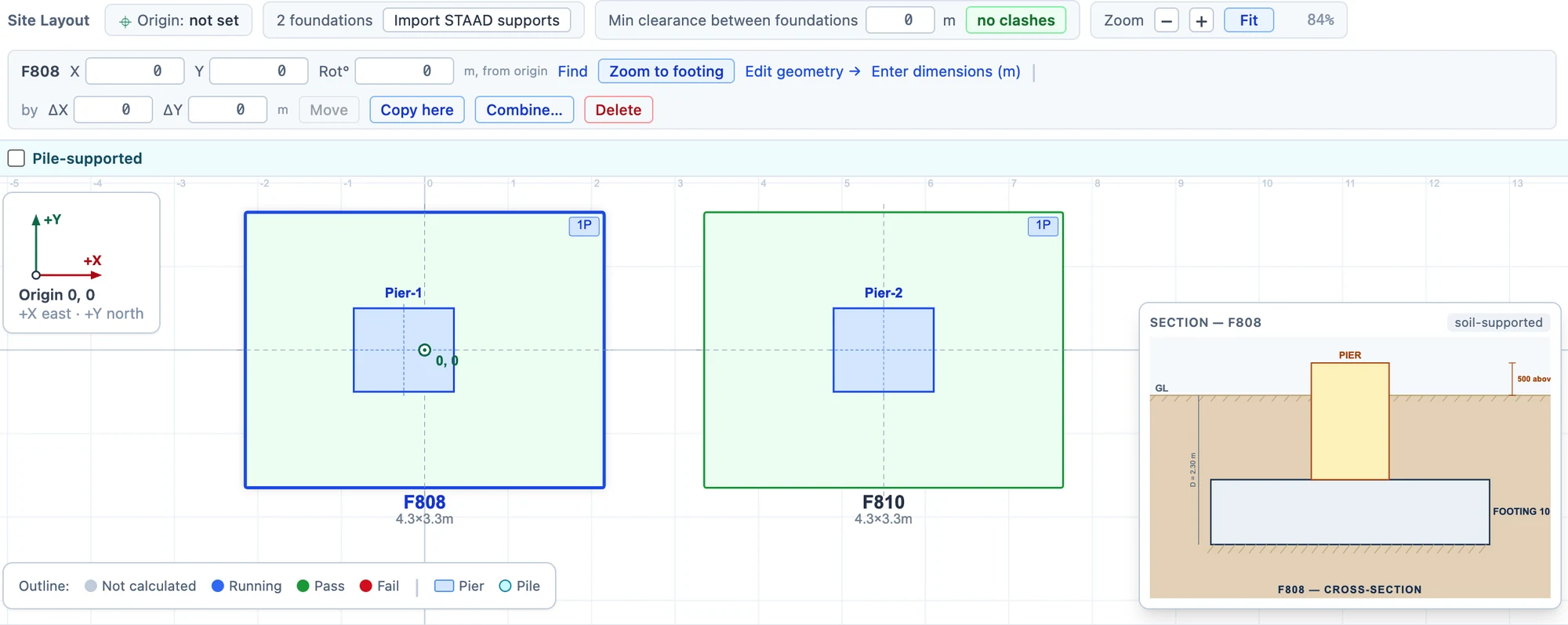
Place every foundation on the plot plan
Give each foundation an X, Y and rotation from the plot origin, or move and copy it from the toolbar. The layout shows each footing and its piers to scale, outlined by whether it has been calculated, passed or failed, and reports the clearance between foundations. A section through the selected footing shows its depth below grade.
Results
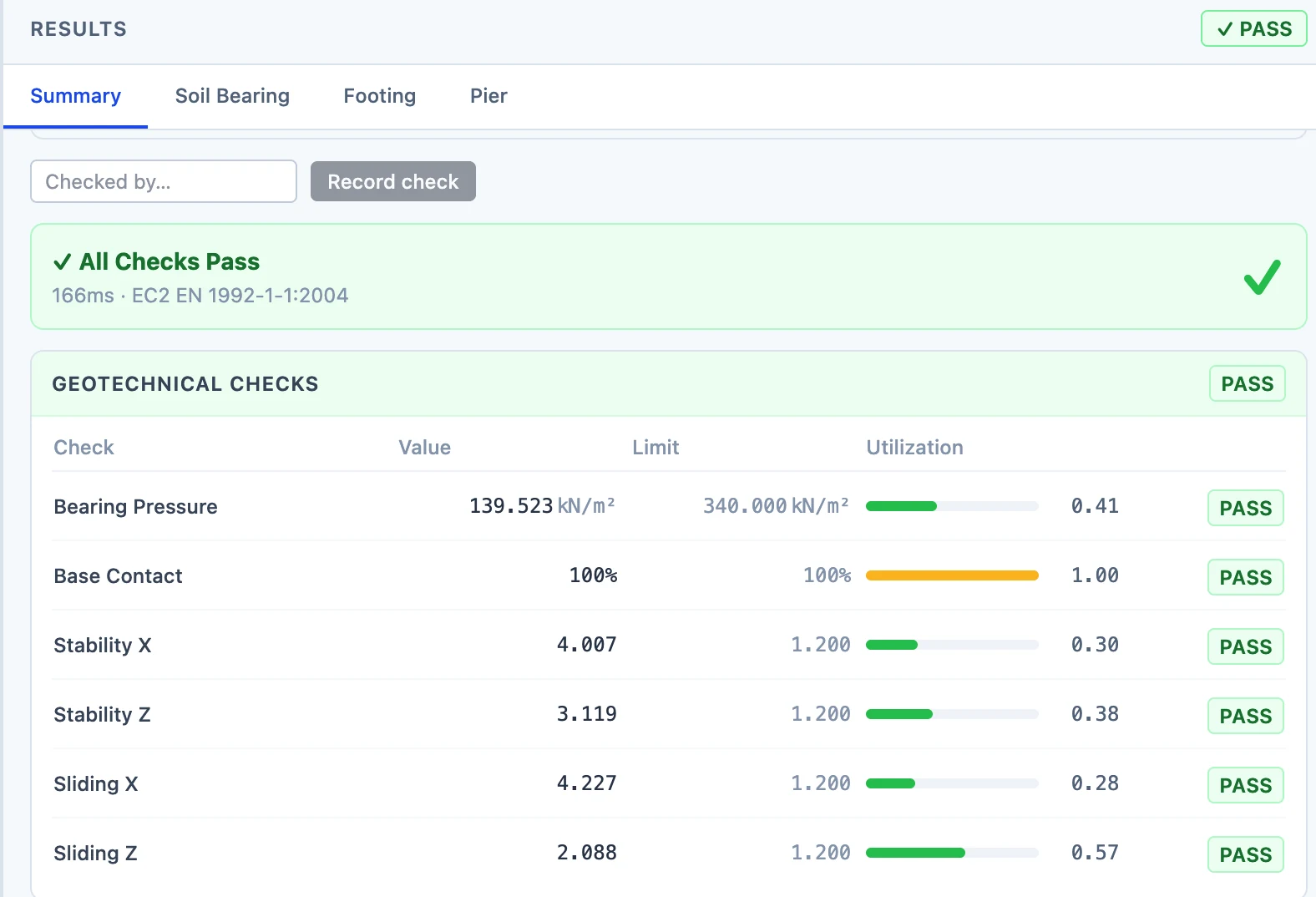
Each check beside its limit
The results summary lists every check with its value, its limit and its utilisation, grouped into geotechnical, footing and pier checks, each with a PASS or FAIL and an overall verdict.
A Checked by field records who looked at the result.
The report
Every check, with its working
The full report sets out each check as the formula, the values put into it, the result and the clause it comes from. It reports the engine’s numbers; it does not work out an outcome of its own.
Results calculated before an input changed are marked stale, and a report made from them says so on every page.
Design basis
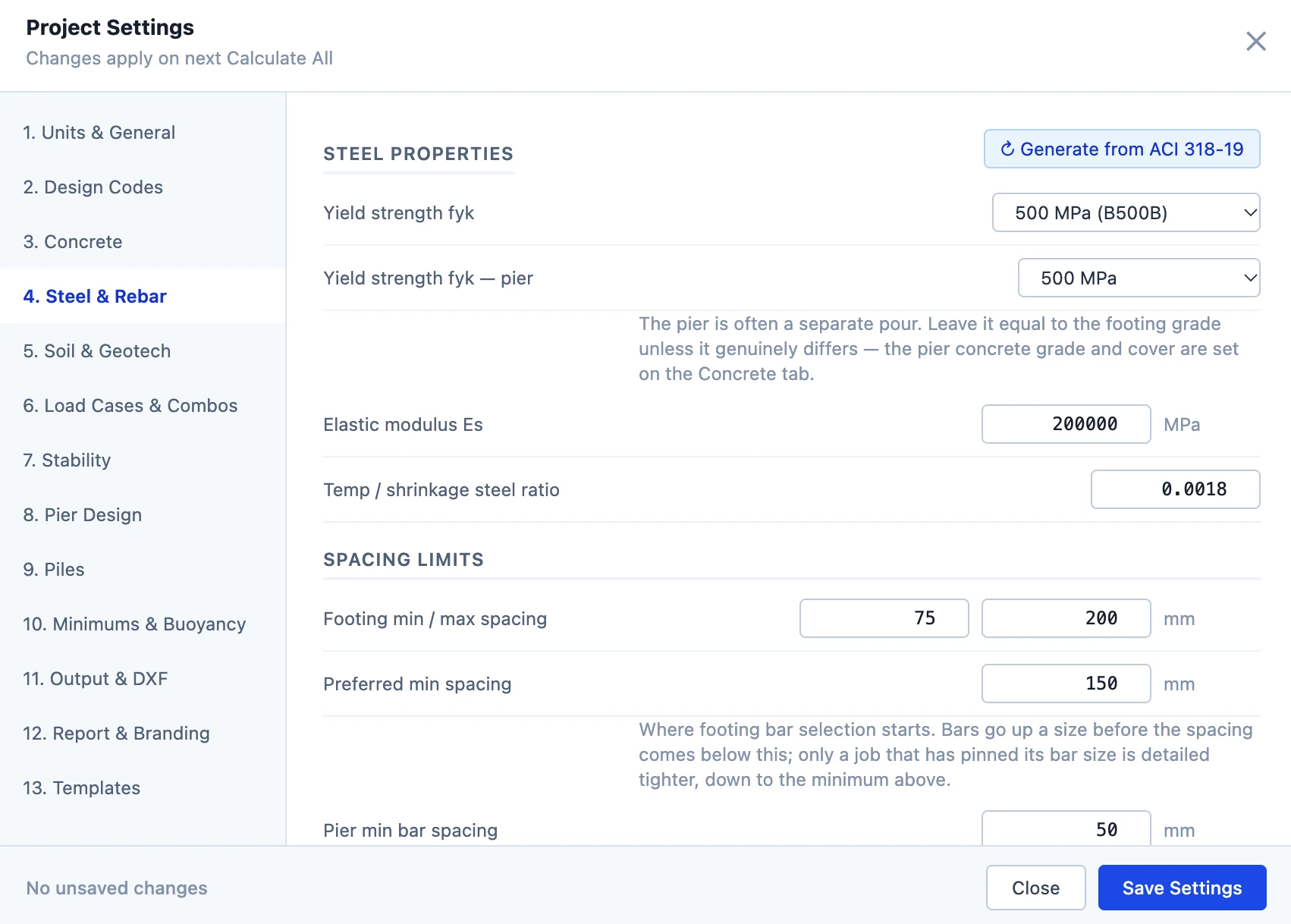
Set the design basis once, for the whole project
Project settings run from units and design codes through concrete, steel and rebar, soil, load combinations, stability, piers, piles and minimums, to output, report branding and templates. A change applies on the next calculation.
Where validation stands
Validation is in progress. Worked examples, from published sources and from projects, are being run through the engine and compared with their own results, one result at a time. Cases are published in the validation booklet once their review is complete.
The booklet records how specific cases compared with their sources. It says nothing about cases it does not contain.
Whatever the booklet holds, results must be checked by a qualified engineer before they are used. See the disclaimer.
Free access
Foundanz is free to use
Each licence runs for 30 days and can be extended on request.
- The full design workflow
- Open to engineers worldwide
- Your feedback shapes what is built next
- Any change to this arrangement is announced in advance
Request access
Tell us who you are and how you would use it. The administrator will set up your account.
What you send is used only to decide on and answer your request, and is deleted after 90 days. See the privacy notice.
Foundanz is an independent engineering software project. It is an aid to design and does not replace professional judgement; the app must be used by a qualified engineer.
Questions
Is Foundanz free?
Yes, but each licence runs for 30 days and can be extended on request.
Does it use AI to produce results?
No. Every design calculation comes from a deterministic engine, and the report shows the formula and the values behind each result.
Can I rely on the results for a real design?
Foundanz is a design aid. Its results must be checked by a qualified engineer before they are used. See the disclaimer.
Who can see my projects?
Only you. For support, the administrator may open a project in read-only mode.